Expresso® WMS
Speed up procedures
of material collection
Reduces destination errors
of the material in stock


VM Vision software
which allows warehouse management and control via Expresso Mobile.
Speed up procedures
of material collection
Reduces destination errors
of the material in stock
WMS Operational Management
and picking/transfer flows

Expresso WMS manages four types of warehouse movements:
- loads (inputs from the supplier),
- unloading (shipments),
- transfers between locations in the same warehouse,
- transfers between warehouses in geographically different locations.
Everything at your fingertips

Location Mapping
The warehouse is mapped into locations to ensure inventory for each location. The big advantage is that warehouse workers know exactly where the material is located and can therefore carry out production picking procedures more efficiently.

Accurate traceability
Transfers between different locations are recorded by Expresso WMS to enable timely traceability, allowing you to always know where the goods that need to be picked are located and reducing “empty” searches.

Reducing errors
The operator finds the mission to be carried out on the handheld device, sees the batches to be transferred and the locations from where to collect the material. Each production department has its own warehouse. This reduces destination errors: the system clearly indicates where to take the material.

Manual Registration
Each logistics unit (a pallet, a box, or other) is marked with a label containing the item, lot, and quantity information for the unit. Using the Manual Registration function, it is possible to make transfers between locations or between warehouses.
OPERATION
- 1
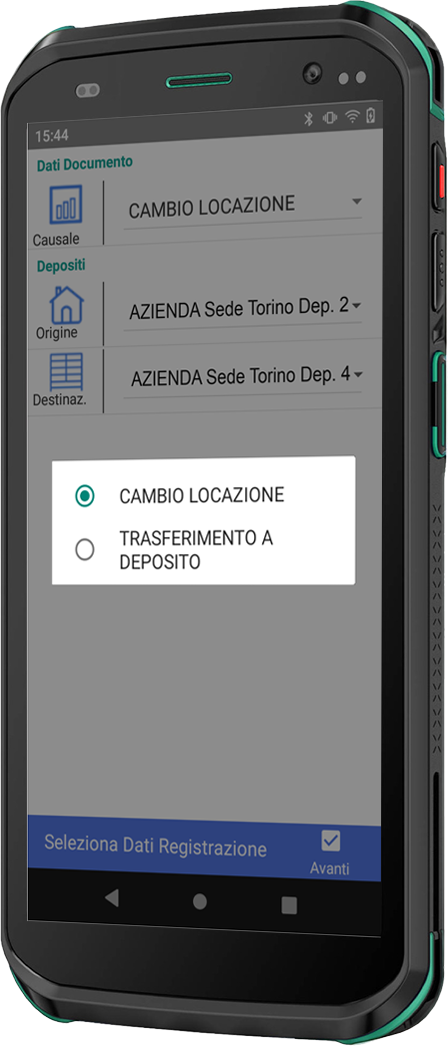
The clerk selects the reason for the transfer on the handheld device, for example Change of Location or Transfer to warehouse.
- 2
By pressing the forward button, you can start reading the items to be transferred by pointing the reader at the logistics unit label. By pressing the Next button, you can begin scanning the items to be transferred by pointing the reader at the logistics unit label. You will then be asked to select the location to which you want to transfer the box or pallet.
- 3
Pointing to the location label shows the item and which location it should be moved to.
- 4
To complete the registration, simply press the “Transmit” button to transfer the data to the central server, freeing up the original location and occupying the new location.

Article Search
This function allows you to read or search for items in the master data and consult their stock levels in the warehouse for each individual location. It also allows you to reprint the labels for that logistics unit if necessary.
Reading or searching can be done by manually searching or by pointing the reader at the package label.
OPERATION
- 1
After pointing or selecting an item, the screen showing all the information written in the datamatrix is presented.
- 2
By pressing the “Inventory” button you can consult all the locations where that particular item is present.
- 3
By pressing the blue “Print” button, you can reprint the label associated with that logistics unit.

Picking Process
The warehouse worker receives a list of items that must be moved from one warehouse to another in order to proceed with the production of a finished product.
The production department has a button called “generate picking mission” on the panel. The warehouseman then finds the list of missions assigned to him and proceeds to collect the items needed for each mission.
OPERATION
- 1
The warehouseman chooses the desired mission. The priority ones are positioned at the top.
- 2
The list of items that need to be moved and their quantities are displayed.
- 3
Clicking on the item displays its location in the warehouse.
- 4
By pointing to the barcode representing the logistics unit, the quantity to be collected is requested. This can be modified from the one proposed.
- 5
The warehouse worker then proceeds to deliver the material. At this point it transmits the change in location of the material to the central server which records the movement.

Chicco
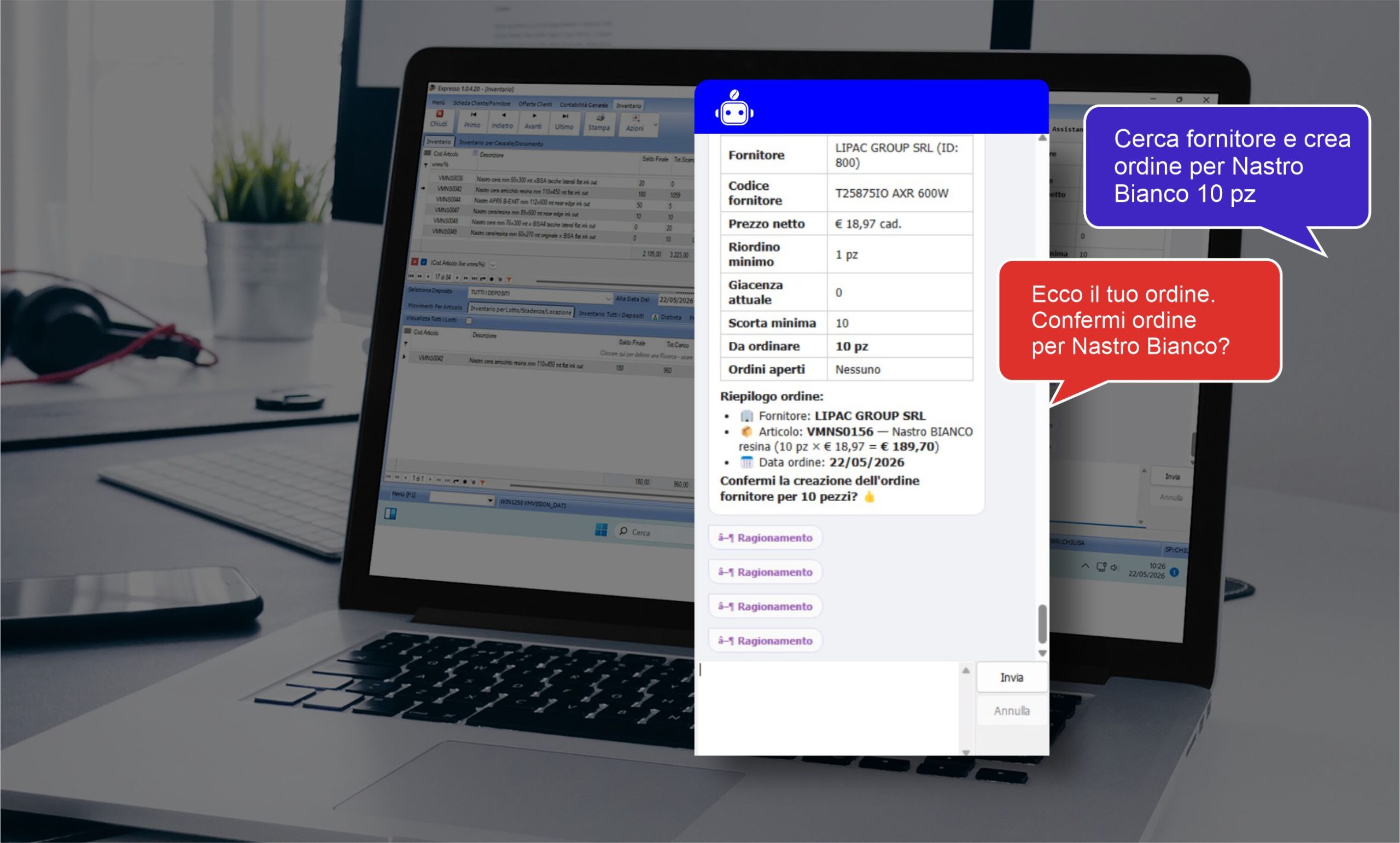
Expresso’s AI assistant




More
information?
Contact us now.
We are at your disposal
to illustrate our Expresso WMS solution
for optimized handling management
of the goods in stock.

EXPRESSO® SUITE solutions